
Feeling priced out of advertising is understandable. Traditional creative production still eats time, budget, and attention. Yet UK small businesses are operating in a market where up to £3.6 billion is spent annually on social media advertising, and more than 25% of UK marketing budgets are projected to go to digital channels by 2026 according to Statista's digital marketing in the UK overview. That matters because paid social can put a message in front of a specific audience almost instantly, while many owners still aren't confident their marketing is working.
The practical shift is this. You no longer need a film crew, studio, or weeks of editing to compete visually. AI video tools let small teams produce campaign assets quickly, test multiple angles, and keep creative fresh enough for social, email, ads, and landing pages. That makes modern small business advertising ideas far more accessible than they were even a year ago.
This is especially useful if your business sells visually, explains something complex, or needs repeated touchpoints before someone buys. A local gym, a home services brand, a software startup, and a boutique retailer can all use the same workflow, then tailor the message to their audience. If you want a niche example of how positioning changes by sector, this breakdown of marketing strategies for fitness facilities is worth a look.
Ready to create your own AI video?
Free credits on signup. Plans from $20/month.
Below are 10 budget-friendly approaches built around AI-generated video, with Seedance as the production engine. They're practical, fast to deploy, and far more measurable than hoping a single polished brand video will somehow do everything.
1. AI-Generated Product Demo Videos
Product demos are one of the easiest wins because they answer the question buyers already have. What does this do, and why should I care? With Seedance, you can generate scenes that show a product in use, then turn those clips into ads, site content, and sales follow-up assets without organising a full shoot.

A practical example. A smart home retailer can prompt a short sequence showing a customer unboxing a hub, pairing it with a phone app, and turning lights on by voice. A SaaS company can build a stylised screen-led demo that highlights one painful task before showing the workflow becoming simpler. A cleaning business can create a before-and-after transformation video for carpets, kitchens, or tenancy cleans.
Prompt for movement, not just appearance
Most weak AI demos fail because the prompt describes what the product looks like, not what the customer is doing with it. Write prompts that include camera angle, lighting, sequence, hand movement, environment, and the specific feature being used.
- Show the use case: “Busy parent adjusts thermostat from phone while leaving the house.”
- Specify the shot list: “Close-up of app, medium shot of product on shelf, wide shot of room changing.”
- Match your buyer's context: A gym equipment brand should show proper form and clear posture, not a generic exercise montage.
For a more detailed workflow, Seedance's guide to making product demo videos is a useful starting point.
Practical rule: If a viewer can't understand the benefit with the sound off, the demo isn't finished.
A complete Google Business Profile remains one of the strongest free channels for local firms, and businesses with complete profiles see 2.5x higher trust and engagement than incomplete ones according to UENI's small business advertising guide. Product clips work well there too, especially for businesses selling something visual in a local area.
Here's a reference clip style that fits this approach:
<iframe width="100%" style="aspect-ratio: 16 / 9;" src="https://www.youtube.com/embed/ZpLSWXAPoLo" frameborder="0" allow="autoplay; encrypted-media" allowfullscreen></iframe>
2. Social Media Content Series Generation
One-off social posts rarely build momentum. A repeatable series does. If you're using AI video well, you're not trying to invent a new format every week. You're creating a recognisable sequence your audience can expect.
A wellness coach can run a weekly “Mindfulness Minute”. A restaurant can publish a “Recipe Spotlight” every Friday. A small agency can build short LinkedIn explainers on audience targeting, landing page mistakes, or campaign creative. Seedance is useful here because it lets you keep a visual style consistent while changing scenes, topics, and scripts.
Build the series before you build the episode
Plan eight to twelve topics first. That keeps your message tight and helps your content feel like a campaign instead of a random stream of posts. It also makes your prompts better because you know what the recurring visual world should look like.
The format works particularly well because short-form video has become a major small business tactic in the UK. One trend report says small businesses invested an estimated £52 billion in advertising in 2025, with a 35% adoption rate of short-form video and 3x higher engagement than static posts, according to SFGate's small business marketing trends article.
A workable rhythm
- Choose one recurring promise: “Quick styling fix”, “One tax tip”, “One software shortcut”.
- Keep visual cues consistent: Similar colour treatment, framing, and text layout help recognition.
- Add finishing touches outside the generator: Captions, branding, music, and platform-specific cropping should happen after the base video is created.
If you need a faster production workflow, Seedance's social media video maker guide shows how to organise repeatable content more efficiently.
Series content works because the audience understands the contract. They know what they'll get, and they know it won't waste their time.
3. Customer Testimonial and Case Study Videos
Testimonial videos don't need to mean putting a nervous customer on camera. For many small businesses, a dramatised video based on real feedback is more practical and still persuasive, as long as you label it truthfully and use genuine customer permission.
A home improvement contractor can turn a written review into a short story: dated kitchen, delayed decision, completed renovation, relieved homeowner. An accounting software brand can visualise a business owner managing tax tasks more calmly after switching systems. A coaching business can show a client moving from confusion to structure through a sequence of scenes rather than a talking head.
Keep the structure simple
Use a three-part narrative. Problem. Change. Outcome. If you have real customer comments, pull exact phrases into on-screen text, then build the visual scenes around them.
What doesn't work is inventing dramatic outcomes the client never mentioned. That's where these videos start to feel synthetic in the wrong way. The safer and stronger route is to stay close to what the customer said, then use Seedance for atmosphere, pacing, and visual continuity.
A practical label helps too. Add language such as “dramatised representation based on customer feedback” where appropriate. That keeps trust intact and prevents the video from over-claiming.
Good use cases
- B2B software: Show a team replacing a messy spreadsheet workflow.
- Weight loss or coaching brands: Focus on habits and routine changes, not exaggerated body transformation promises.
- Trades and services: Show the sequence from first enquiry to finished result.
The most effective testimonial videos feel specific. They show the buyer's world before your service, not just your logo after it.
4. Educational and How-To Content Marketing
Educational video works when the topic sits just before a buying decision. People watch because they want help, then they remember who explained the problem clearly. That makes this one of the strongest small business advertising ideas if your service requires trust before sale.
A freelance tax consultant can publish “Tax deduction basics for sole traders”. A photographer can release short lessons on lighting or framing. A web developer can explain page speed issues in plain language. Seedance helps turn these lessons into more polished visual explainers, especially if you want concept-led scenes rather than simple webcam delivery.
Teach one clear thing per video
Don't cram everything into one asset. Buyers rarely need a masterclass. They need one answer that reduces uncertainty. Structure the video around one question, one process, or one mistake.
This kind of content is also easier to repurpose. A longer YouTube explainer can become short clips for Instagram Reels, LinkedIn, or your email newsletter. The transcript can become a blog post. The final slide can become the CTA for a lead magnet or service page.
UK small businesses are also putting more emphasis on personalized experiences. One source says 68% now prioritise AI-driven personalisation tools for advertising, and personalized campaigns show a 42% average increase in user satisfaction, according to HD Squares' UK marketing strategies article. Educational videos become more useful when you segment them by audience need, such as beginner, advanced, local buyer, or returning customer.
Strong topics for AI educational videos
- Explainers: “How to prepare for a house valuation”
- Walkthroughs: “How to use the new dashboard feature”
- Mistake-led content: “Three reasons your ads attract the wrong leads”
If the lesson is vague, the ad effect will be vague too. Specific teaching earns attention.
5. Limited-Time Promotion and Flash Sale Videos
Urgency can lift response, but only if the offer is clear. Many promotion videos fail because they're all motion and no message. Viewers see “sale”, but they don't know what's discounted, who it's for, or when it ends.
A local salon can run a booking push for unused midweek slots. An online shop can announce a two-day promotion on a seasonal line. A course creator can promote early-bird access for a live cohort. Seedance is useful here because you can produce multiple variants quickly, then match each one to email, paid social, and site banners.

Urgency needs precision
The best promotional videos answer four things in the first moments. What's on offer. Who it's for. Why it matters now. What to do next. If any of those are missing, the ad usually underperforms.
Use a template structure:
- Hook: Immediate visual cue and offer headline.
- Proof: Product, service, or outcome in action.
- Deadline: Clear end point.
- Action: Shop, book, claim, join.
One underused tactic for local campaigns is connecting physical materials to video. For UK small businesses, bridging physical and digital can be effective. The QuickBooks advice includes using QR codes on flyers that link to videos or product pages, as discussed in its marketing ideas for UK small businesses article. That's especially useful for flash promotions in shops, cafés, salons, and pop-up events.
What doesn't work is fake scarcity. If every week is your “final chance”, buyers stop believing you.
6. Email Marketing Campaign Videos
Email is still one of the cleanest places to use video because the viewer has already given you permission to contact them. You're not interrupting a feed. You're continuing a relationship. That changes what kind of video performs.
For email, short usually wins. A welcome sequence can include a quick founder introduction. A SaaS company can send a feature update clip. An ecommerce brand can send category-specific recommendation videos to different audience segments. A coaching business can use a short orientation video after sign-up to reduce drop-off before the first session.
Design for the inbox
You don't need a cinematic mini-film. You need a strong thumbnail, a first line that earns the click, and a video that reaches the point fast. Many email clients still handle embedded video inconsistently, so the practical setup is often a clickable thumbnail that opens the hosted version.
A good workflow is to create a 30 to 45 second Seedance clip, export a still frame as the thumbnail, then place a clear CTA under it. If you're segmenting your list, change the opening scene or message for each group. New leads need orientation. Existing customers may need upsell education. Lapsed buyers need a reason to come back.
Keep the first few seconds useful. Inbox viewers decide quickly, and they're usually half a click away from deleting the message.
This format also works well for lifecycle emails. Order confirmation. Replenishment reminder. New collection launch. Event invitation. Each one can feel more personal with a video touch, even when the production process is lightweight.
7. Brand Story and Company Culture Videos
Brand story videos are often over-produced and under-helpful. A small business doesn't need a grand origin film unless that story directly helps someone choose you. The stronger approach is a concise narrative that shows what you stand for, how you work, and why that matters to the customer.
A family bakery can visualise early starts, hand-finishing, and community connection. A sustainable fashion startup can show sourcing, materials, and values in action. A consultancy can tell the story of why it exists by framing the client problems it was built to solve.
Focus on customer relevance
Customers care about your history only when it explains your standards, your perspective, or your service model. So anchor the story in outcomes. “Family-run since…” is less powerful than “Because we make everything in small runs, we can adapt quickly for client briefs.” Seedance can help turn that message into a coherent visual narrative without requiring you to capture every scene in-house.
This category works especially well on About pages, recruitment pages, and warm-audience ads. It can also support referrals because people repeat stories more easily than they repeat feature lists.
Word-of-mouth remains one of the most powerful routes for small businesses, and many survive early on through referrals, reviews, and testimonials, as highlighted in QuickBooks' guidance on low-cost small business marketing. A strong brand story gives customers something memorable to share when they describe you to someone else.
What to include
- Your values in action: Don't list them. Show them.
- Moments that shaped the business: A turning point, a customer insight, a problem you kept seeing.
- A clear payoff: Why those values lead to a better customer experience.
If the story only flatters the brand, it won't travel.
8. Product Launch and Announcement Videos
Launch videos need pace. Most small businesses spend too long explaining the thing and too little time framing why it matters now. Seedance is useful because it lets you create a teaser, a main announcement, and a feature-specific cutdown without restarting the whole production process.
A software company can launch a dashboard redesign with a short “what's changed” video, then follow with separate clips for reporting, collaboration, and automation. A local service provider can introduce a new premium package by showing the customer problem it solves, then the improved experience. A retail brand can announce a seasonal line through quick vertical clips before publishing a fuller product-page video.
Build a launch sequence, not one asset
The teaser creates curiosity. The main announcement explains the value. The follow-up answers objections. That sequence matters because different buyers enter at different points. Some only need the headline. Others need the walkthrough.
For local businesses using paid search alongside launch content, campaign setup matters as much as creative. Informi notes that Google Ads often targets people searching about a target location by default, which can waste budget for businesses serving a defined area. Its guidance on effective local marketing and local Google Ads targeting is worth paying attention to if your launch is tied to a service radius rather than national demand.
A launch video should also have one core promise. New feature. New offer. New benefit. Pick one lead message, then support it with secondary detail.
9. Paid Advertising Video Content
Paid video is where AI production can save a small business the most frustration. Not because AI automatically makes ads better, but because good ad performance usually requires multiple versions. Different hooks. Different lengths. Different audience angles. Traditional production often makes that testing expensive.
A local service business might need separate creatives for emergency jobs, planned work, and maintenance. A software brand might test convenience versus accuracy versus speed. An ecommerce store might build one set of ads around product features and another around use-case scenarios.
Test the angle, not just the edit
Most weak paid campaigns vary colours and captions, then call it testing. That rarely uncovers much. Better tests change the underlying appeal. Price. Outcome. Simplicity. Trust. Speed. Local relevance.
One useful benchmark from the UK market is that targeted Google Ads with location-based keywords and local-intent creatives can improve conversion rates by 35%, according to myPOS's guide to winning small business marketing ideas. That's a reminder that the message has to match intent. A local plumber ad should look and sound local. A national ecommerce ad doesn't need the same framing.
A practical ad workflow
- Create multiple lengths: Short hooks for social feeds, longer variants for warmer audiences.
- Open with the benefit: Don't waste the first moments on logo animation.
- Design for silent viewing: Text overlays matter.
- Refresh regularly: Paid social creative gets tired fast.
If you want a structured process for variant testing, Seedance's guide on creating AI video ads that convert in 2026 covers the basics well.
Paid video rarely fails because the format is wrong. It fails because the offer, audience, and first seconds don't line up.
10. Website Homepage and Landing Page Hero Videos
A homepage hero video has one job. Clarify the value of the business fast. It isn't there to look expensive. It's there to help the visitor understand what you do, who it's for, and what action comes next.

This works especially well for businesses selling transformation, expertise, or experience. A consultant can show client workshop moments and polished deliverables. A tech startup can visualise the product in use. A coaching business can frame the aspiration the buyer wants to reach. Seedance helps because you can generate a cinematic loop that supports the page message without the cost of a traditional branded shoot.
Keep it supportive, not distracting
Hero videos fail when they overpower the headline or slow the page down. Keep the movement purposeful and the composition friendly to text overlays. If your CTA disappears against the video, the asset is hurting conversion.
A useful local example comes from Signature Brew's “Pub in a Box” campaign, which used Google Business Profile to attract local customers and saw a 40% increase in foot traffic within three months, according to UENI's article on small business advertising. The wider lesson is that visibility works best when intent and presentation match. Your hero video should continue that same clarity once the visitor lands.
Best use cases for hero video
- Service pages: Show the customer situation changing.
- Product landing pages: Show the product in context immediately.
- Campaign pages: Match the ad promise with the first visual on-page.
If the page promise is “book a consultation”, the hero video should strengthen that action, not compete with it.
10-Point Small Business Video Advertising Comparison
| Item | Implementation Complexity 🔄 | Resource Requirements ⚡ | Expected Outcomes ⭐📊 | Ideal Use Cases | Key Advantages 💡 |
|---|---|---|---|---|---|
| AI-Generated Product Demo Videos | Low 🔄, prompt-driven; some iterations for polish | Minimal ⚡, prompt writing; no filming; 2–4 hrs for 3–5 demos | High ⭐⭐⭐, professional-looking demos; faster time-to-market 📊 | E‑commerce, SaaS UI walkthroughs, small hardware demos | Cuts production cost/time; rapid iteration; consistent visuals |
| Social Media Content Series Generation | Medium 🔄, requires series planning and style continuity | Low ⚡, creative planning; 4–6 hrs to produce 8 episodes | High ⭐⭐, consistent audience engagement; scalable reach 📊 | Brands needing regular short-form content (TikTok/IG/YT Shorts) | Maintains posting cadence; thematic cohesion; reusable templates |
| Customer Testimonial and Case Study Videos | Low–Medium 🔄, narrative scripting and accuracy required | Minimal ⚡, converts written testimonials; ~3–4 hrs per video | Medium–High ⭐⭐, engaging social proof; improved conversions 📊 | B2B case studies, transformation stories, privacy-sensitive clients | Avoids scheduling interviews; dramatizes results; protects privacy |
| Educational and How-To Content Marketing | Medium 🔄, needs subject-matter accuracy and structure | Moderate ⚡, research + scripting time; 5–8 hrs per tutorial | High ⭐⭐⭐, authority building; SEO value; evergreen traffic 📊 | Professional services, instructors, niche expertise creators | Repurposable long-form content; builds trust; high ROI long term |
| Limited-Time Promotion and Flash Sale Videos | Low 🔄, rapid prompt-to-video workflow | Minimal ⚡, fast generation; 1–2 hrs for multiple variations | High ⭐⭐, immediate engagement; boosts short-term conversions 📊 | Retail flash sales, seasonal promos, booking incentives | Quick A/B testing; fresh creatives for each campaign; urgency emphasis |
| Email Marketing Campaign Videos | Low 🔄, short-form, optimisation constraints | Minimal ⚡, integrate with email platform; 2–3 hrs per campaign | High ⭐⭐, higher CTRs (25–80% typical); improved engagement 📊 | E‑commerce recommendations, feature intros, fundraising emails | Boosts inbox visibility; personalised messaging; requires fallbacks |
| Brand Story and Company Culture Videos | Medium 🔄, narrative development and refinement | Moderate ⚡, time in story development; 6–8 hrs total | High ⭐⭐⭐, stronger brand affinity and recall 📊 | Startups, mission-driven firms, hiring & investor outreach | Deep emotional connection; differentiates brand; multipurpose use |
| Product Launch and Announcement Videos | Medium 🔄, needs finalized features and messaging | Moderate ⚡, feature docs + prompts; 4–6 hrs to ready multiple vids | High ⭐⭐⭐, generates buzz; supports GTM and A/B testing 📊 | New product reveals, major updates, multi-channel launches | Rapid multi-version creation; coordinates across channels |
| Paid Advertising Video Content | Medium 🔄, requires platform-specific formats & hooks | Low–Moderate ⚡, generate many variations; 3–4 hrs for 10–15 ads | High ⭐⭐⭐, improved ad freshness and testability; ROI gains 📊 | Performance marketers, e‑commerce, lead-gen campaigns | Fast split-testing; platform-optimised assets; combats creative fatigue |
| Website Homepage and Landing Page Hero Videos | Medium 🔄, concept + optimisation for web performance | Moderate ⚡, concepting + file optimisation; 4–5 hrs | High ⭐⭐, stronger first impression; higher time-on-page 📊 | Landing pages, SaaS homepages, agency portfolios | Cinematic custom backgrounds; supports premium positioning; needs optimisation |
Start Creating Your Next Advertising Campaign Awaits
The biggest change in small business advertising isn't that every channel suddenly got easier. It's that professional-looking creative is no longer locked behind a production budget that most small teams can't justify. That matters because distribution is crowded. If your message is weak, no amount of posting will rescue it. If your creative process is too slow, you won't test enough ideas to find what works.
That's why these small business advertising ideas are most useful when you treat them as a system rather than a menu of random tactics. Product demos help cold audiences understand the offer. Social series build familiarity. educational videos earn trust. Testimonial videos reduce hesitation. Launch videos create momentum. Paid ad variants help you find the message-market fit faster. Hero videos make the click count once someone reaches your site.
Start with one format that matches your current bottleneck. If people don't understand what you sell, create a product demo. If your social presence feels inconsistent, build a recurring series. If your ads are expensive but vague, make three sharper video variants built around different buyer motivations. If your website gets traffic but not action, replace a generic header image with a focused hero video.
Keep the trade-offs in mind. AI video is fast, but speed doesn't replace judgement. You still need accurate messaging, honest claims, clear offers, and a sensible distribution plan. You still need to measure what happens after the view. For local businesses, that might mean phone calls, direction requests, and booking enquiries. For ecommerce, it might mean click-throughs, add-to-baskets, or product page engagement. For service firms, it might mean lead quality more than raw volume.
The good news is that you don't need to build an entire in-house studio to start. A tool like Seedance can fit naturally into a lean workflow if you use it with discipline. Write better prompts. Produce multiple variants. Publish with a purpose. Then review the outcome and improve the next round.
Professional video advertising used to be the hard part. For many small businesses now, the hard part is choosing a lane and shipping the campaign. Pick one idea from this list and get it live.
If you want a practical starting point, explore Seedance for turning text prompts into video assets you can use across ads, social posts, landing pages, and email campaigns.
Ready to create your own AI video?
Turn ideas, text prompts, and images into polished videos with Seedance. If this article helped, the fastest next step is to try the product.
Free credits on signup. Plans from $20/month.
Related Articles
More posts in the same locale you may want to read next.
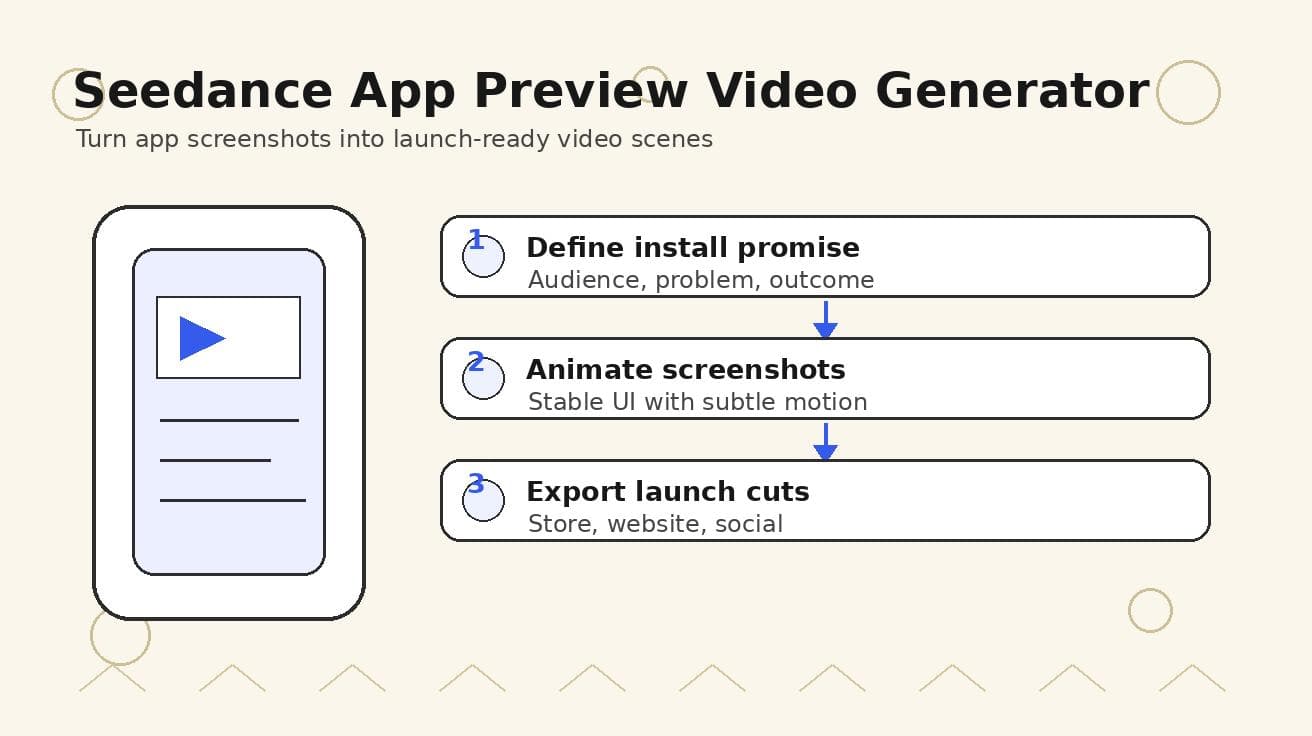
Seedance App Preview Video Generator 2026: Create App Store and Product Launch Clips
Use Seedance to turn app screenshots, feature copy, and launch goals into App Store previews, Google Play promo videos, and product launch clips.
Read article
Unlock Growth with Video Marketing for Small Businesses
Master video marketing for small businesses. Learn to plan, produce & promote videos for real ROI, even on a tight budget. Get our practical guide for 2026!
Read article
10 Cinematography Lighting Techniques to Master
Master 10 key cinematography lighting techniques. Learn setups, practical examples, and actionable tips for three-point, chiaroscuro, and natural lighting.
Read article