
Seedream 5.0 Product Poster Prompts: Templates, Lighting, and Background Swap Guide
AI Overview
Can Seedream 5.0 generate complete product posters with text and background?
Yes. Seedream 5.0 Pro can compose the product, scene, lighting, and copy from one structured prompt. Quote required text and assign every element to a clear canvas zone.
How do I keep the product unchanged when editing a background in Seedream 5.0?
Use a follow-up edit that replaces only the background. Explicitly preserve the product, label, camera angle, reflections, color, and original contact shadow.
What lighting descriptions work best for product poster prompts in Seedream 5.0?
Use soft overhead light for clean ecommerce, an upper-left key plus rim reflection for premium beauty or tech, and warm side light with a long shadow for lifestyle scenes.
Ready to try it yourself?
Free credits on signup. Plans from $20/month.
What canvas ratios and layout zones should I specify for product posters?
Use 1:1 for marketplace images, 9:16 for Stories and Reels, and 16:9 for banners. Name zones such as “product bottom-third” and “headline top-center.”
Why Seedream 5.0 Works for Product Posters
A product poster has four jobs at once: preserve the item, build a believable scene, direct attention with light, and leave room for readable copy. Seedream 5.0 Pro is useful here because its workflow supports three practical controls:
- Layer separation: treat the product, background, and text as separate decisions so one can change without rebuilding the entire brief.
- Local editing: request one targeted adjustment—such as a background color, label line, or contact shadow—while protecting everything else.
- Style grounding: describe a recognizable design language through materials, palette, composition, and lighting instead of relying on a vague mood word.
That makes the model a strong fit for iterative campaign work inside Seedance. It produces a finished raster composition rather than a template with editable boxes, so your prompt must define placement before generation. For a broader model-level view, compare Seedream 5.0 vs Nano Banana 2.
The Product Poster Prompt Formula
Build every brief from six parts in this order:
[Product description] + [Placement] + [Background or scene] +
[Lighting setup] + [Copy in double quotes] + [Canvas ratio and style]
Weak: “A perfume bottle with a nice background and some text.”
Stronger:
A 50 ml amber-glass perfume bottle, centered in the bottom third.
Background: a dark forest floor with soft morning mist and shallow depth of field.
Lighting: large diffused key from upper-left, narrow rim highlight on the right,
soft contact shadow behind the bottle. Headline: "WILD OAK" at top-center.
Subline: "Eau de Parfum" below the headline. Vertical 4:5 premium editorial poster.
The stronger version fixes the subject, zone, scene, light direction, exact copy, ratio, and finish. The same disciplined layout language also applies to the Seedream 5.0 infographic prompt guide.
Prompt Templates by Product Type
Replace the bracketed fields, keep literal copy in double quotes, and generate one aspect ratio at a time. Start in Text to Image, then keep the best product geometry as the reference for later variants.
Beauty and Skincare Products
A [capacity] [material] [product type] bottle, centered in the lower half.
Background: [white marble with scattered dried flowers].
Lighting: large diffused key upper-left, slim rim reflection on the right,
soft contact shadow falling back-right. Headline: "[PRODUCT NAME]" top-center.
Subline: "[BENEFIT]" below it. Vertical 4:5, clean premium beauty campaign.
Food and Beverage Products
A [product and package], placed on [rustic wooden board].
Background: [warm kitchen bokeh with restrained ingredients].
Lighting: warm side light from left, long soft contact shadow, natural highlights.
Headline: "[FLAVOR OR BENEFIT]" top-left. Badge: "[SIZE]" upper-right.
Square 1:1 ecommerce poster, appetizing color, realistic packaging.
Tech and Electronics
A [device] floating at a [30-degree angle], screen showing [simple interface].
Background: deep charcoal gradient with one restrained accent glow.
Lighting: soft rim light tracing the edges, controlled front fill, shadow below.
Headline: "[FEATURE]" top-center. Subline: "[SHORT PROOF POINT]" beneath it.
Wide 16:9 launch poster, precise materials, minimal premium technology style.
Clothing and Accessories
A [garment or accessory] displayed as [clean flat lay or minimal mannequin].
Background: [off-white linen surface] with only two supporting props.
Lighting: even soft-box light, accurate fabric color, visible weave, no harsh shadow.
Headline: "[COLLECTION NAME]" top-left. CTA copy: "[SHOP THE EDIT]" bottom-right.
Vertical 4:5 editorial fashion poster with generous negative space.
Home and Lifestyle Products
A [home product] placed in a [minimal Japandi living-room corner].
Natural window light from right, warm afternoon tone, realistic contact shadow.
Lifestyle props: [two relevant objects]. Headline: "[HOME BENEFIT]" top-center.
Subline: "[MATERIAL OR FEATURE]" below. Vertical 4:5 calm lifestyle campaign,
natural materials, uncluttered composition, product remains the focal point.
For a faster catalog workflow, save the approved item and reuse it across the scene templates in Product Photos.
Getting Lighting Right — 3 Setups That Always Work
Lighting is the highest-impact variable in a product poster because it controls shape, material, hierarchy, and scene credibility. Match the setup to the delivery context instead of adding “good lighting.”
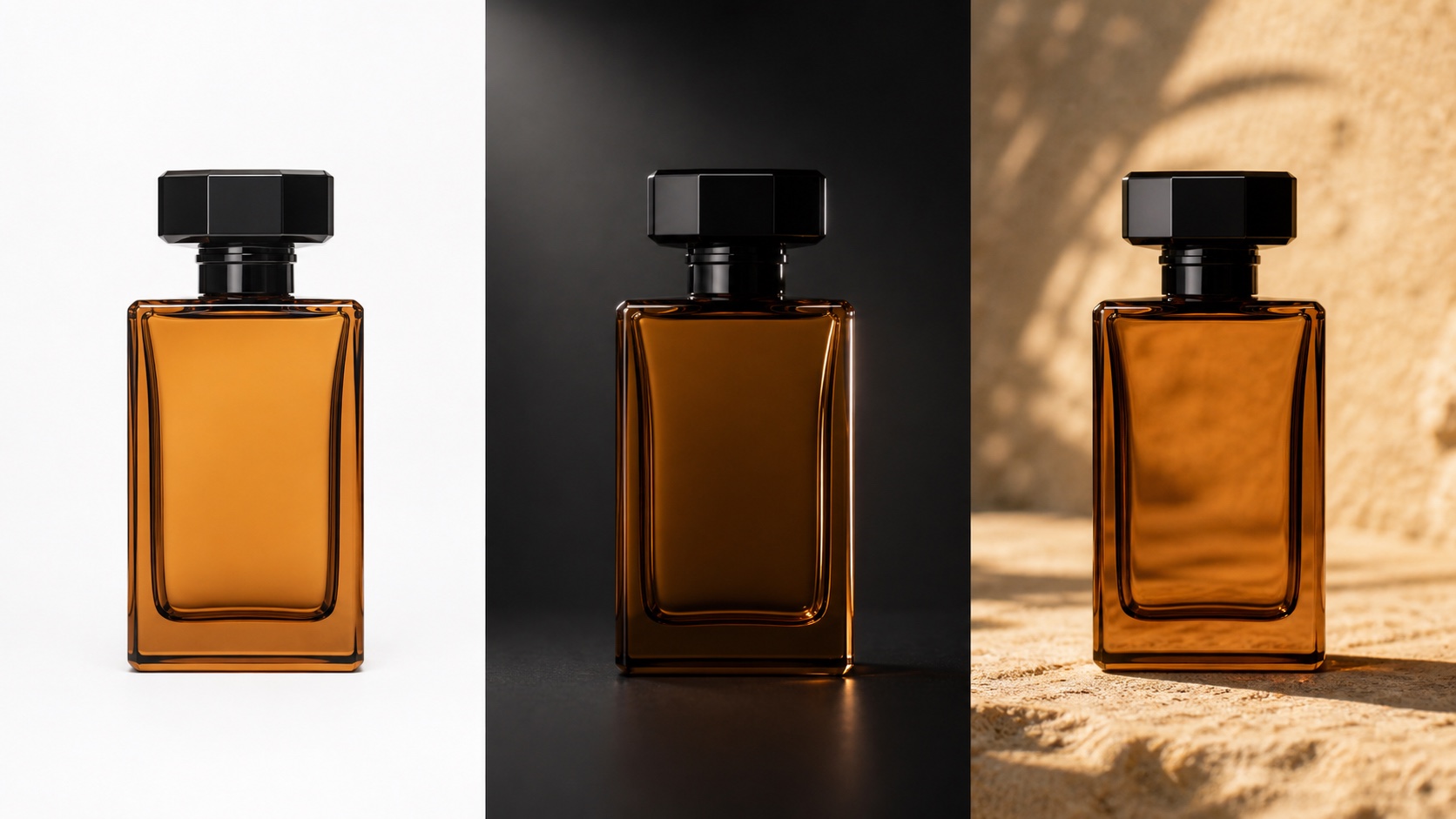
One product, three controlled lighting briefs: neutral catalog, premium studio, and warm lifestyle.
Flat Ecommerce Lighting
Even soft-box lighting from directly above, no visible hard shadows,
white background, true-color rendering, product fills 70% of frame.
Use it for marketplace main images, catalogs, and comparison grids. Avoid it when the campaign needs depth, atmosphere, or a luxury finish.
Premium Beauty and Tech Lighting
Large diffused key light upper-left at 45 degrees, narrow specular highlight
along the right edge, soft contact shadow back-right, dark gradient background.
Use it for glass, polished metal, skincare, fragrance, and device launches. Avoid it when reflective edges are damaged or the product reference is low resolution.
Lifestyle and Food Lighting
Warm natural side light from a left window, golden-hour color temperature,
long soft contact shadow, visible surface texture in the foreground.
Use it for food, drinks, home goods, and seasonal social campaigns. Avoid it for color-critical listings where warm light could misrepresent the product.
Adding Text to Product Posters — The Rules
Treat every text element as a placed object, not a general request:
- Put exact copy in double quotes:
"WILD OAK Eau de Parfum". - Assign each line a zone:
top-center,bottom-left, orinside the label. - Name the typography:
bold condensed sans-seriforlight italic serif. - Keep headlines under six words and supporting lines short.
- Ask for clear contrast and negative space behind every text block.
- Generate the layout first, then correct one misspelled line with a focused edit.
For a vertical social poster, reserve the central safe area and keep important copy away from the top and bottom interface zones. For a square listing image, let the product dominate and move promotional copy to secondary gallery images when platform rules require a clean main image.
Background Swap Without Touching the Product
The safest background workflow starts with one approved product image and changes only the environment.
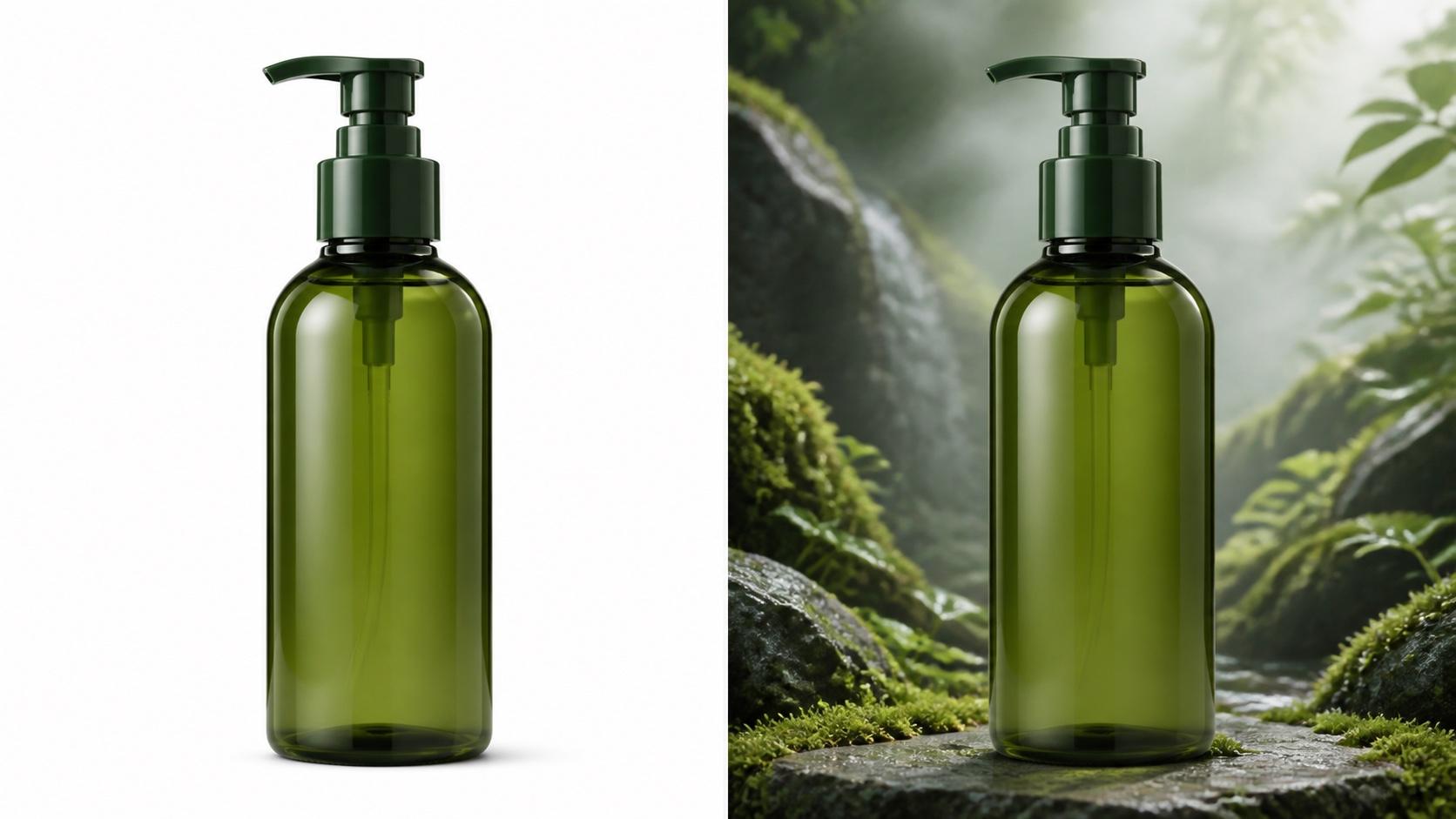
The silhouette, pump, color, reflections, camera angle, and scale remain fixed while the background changes.
Step-by-Step Background Swap Workflow
- Generate or upload a clean product image, ideally on white.
- Send a follow-up edit prompt rather than rebuilding the whole poster.
- List every product detail that must stay unchanged.
- If one detail drifts, add a precise preservation instruction.
- For regional variants, change only the background sentence.
Replace the white background with [target background].
Keep the product, label text, camera angle, scale, product color,
specular highlights, and contact shadow exactly as they are.
Do not change the package shape, cap, logo area, or any printed detail.
Five Reusable Background Descriptions
- White minimal: seamless warm-white studio, faint floor horizon, clean catalog finish.
- Gradient color: deep brand-color gradient, brighter behind the product, no extra props.
- Natural scene: mossy stone surface, soft foliage bokeh, light atmospheric mist.
- Seasonal setting: restrained festive lights, one seasonal prop, generous negative space.
- Solid campaign color: matte single-color wall and floor, subtle tonal shadow, graphic finish.
Conclusion
Reliable product posters follow three rules: structure the prompt with the six-part formula, quote and position every required line of copy, and name every product detail that a background edit must preserve. Save five product templates and three lighting formulas as your quick-reference card, then change one variable per generation. When the brief is ready, create the poster with Seedance and build the first campaign variant from the approved product image.
Ready to try it yourself?
Put the steps from this guide into practice with Seedance and turn prompts or images into polished videos in minutes.
Free credits on signup. Plans from $20/month.
Related Articles
More posts in the same locale you may want to read next.
Seedance App Preview Video Generator 2026: Create App Store and Product Launch Clips
Use Seedance to turn app screenshots, feature copy, and launch goals into App Store previews, Google Play promo videos, and product launch clips.
Read article
Seedream 5.0 Infographic Prompts: Templates, Text Tips, and 5 Copy-Ready Examples
Create clearer AI infographics with a seven-part Seedream 5.0 prompt formula, five reusable templates, practical text tips, and five copy-ready examples.
Read article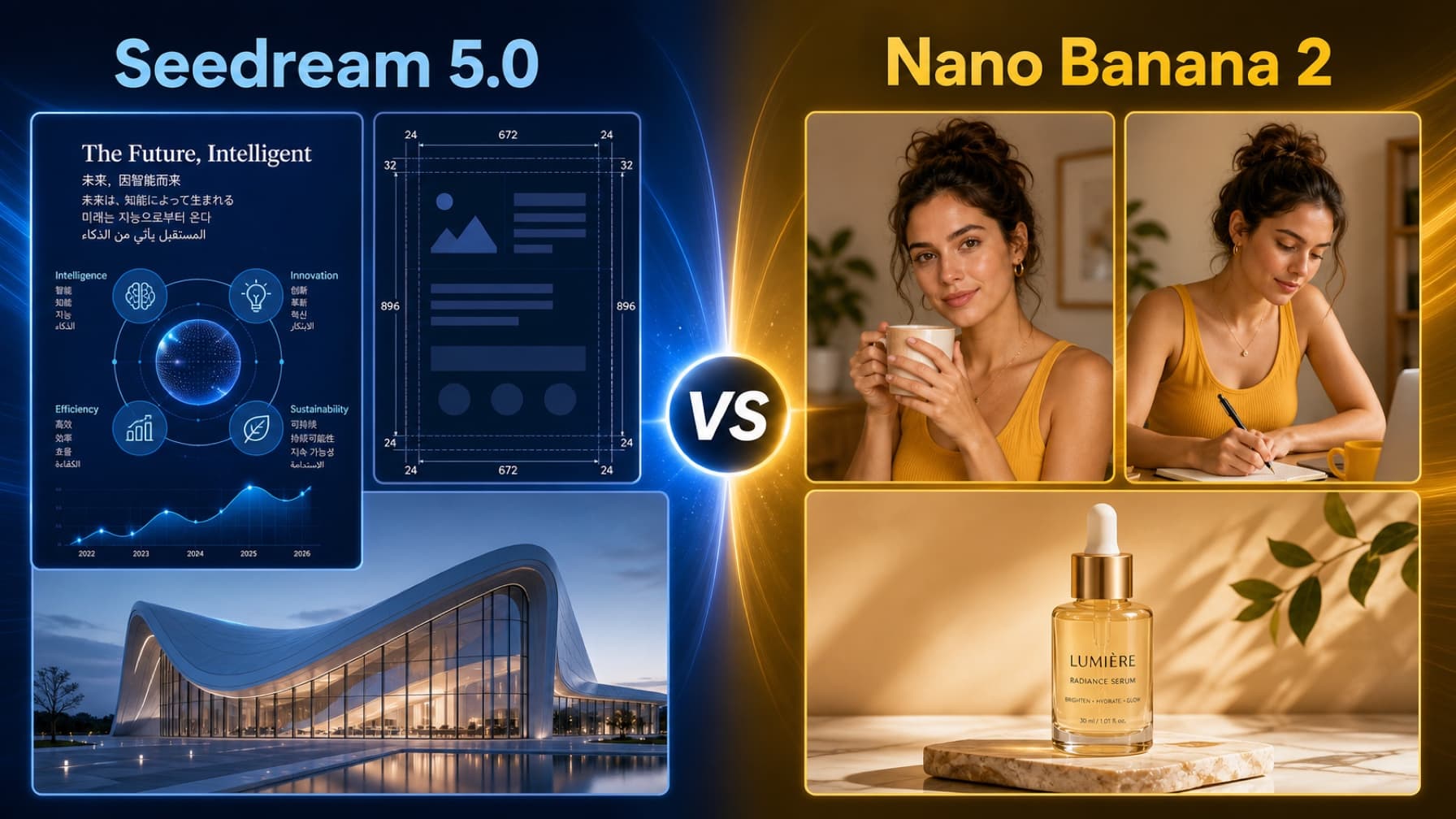
Seedream 5.0 vs Nano Banana 2: Speed, Quality, and Which to Use in 2026
Compare Seedream 5.0 and Nano Banana 2 for speed, image quality, character consistency, pricing, ecommerce, multilingual design, and production workflows.
Read article