
Seedance 2.0 Free: Is It Really Free? Credits, Limits & How to Start

Seedance 2.0 free is best understood as a testing path for AI video generation, not an unlimited production promise. Use the free stage to check prompts, model choices, credits, watermark/export rules, and whether Seedance 2.0 can create the video style you need before you commit to a paid workflow.
Quick Answer
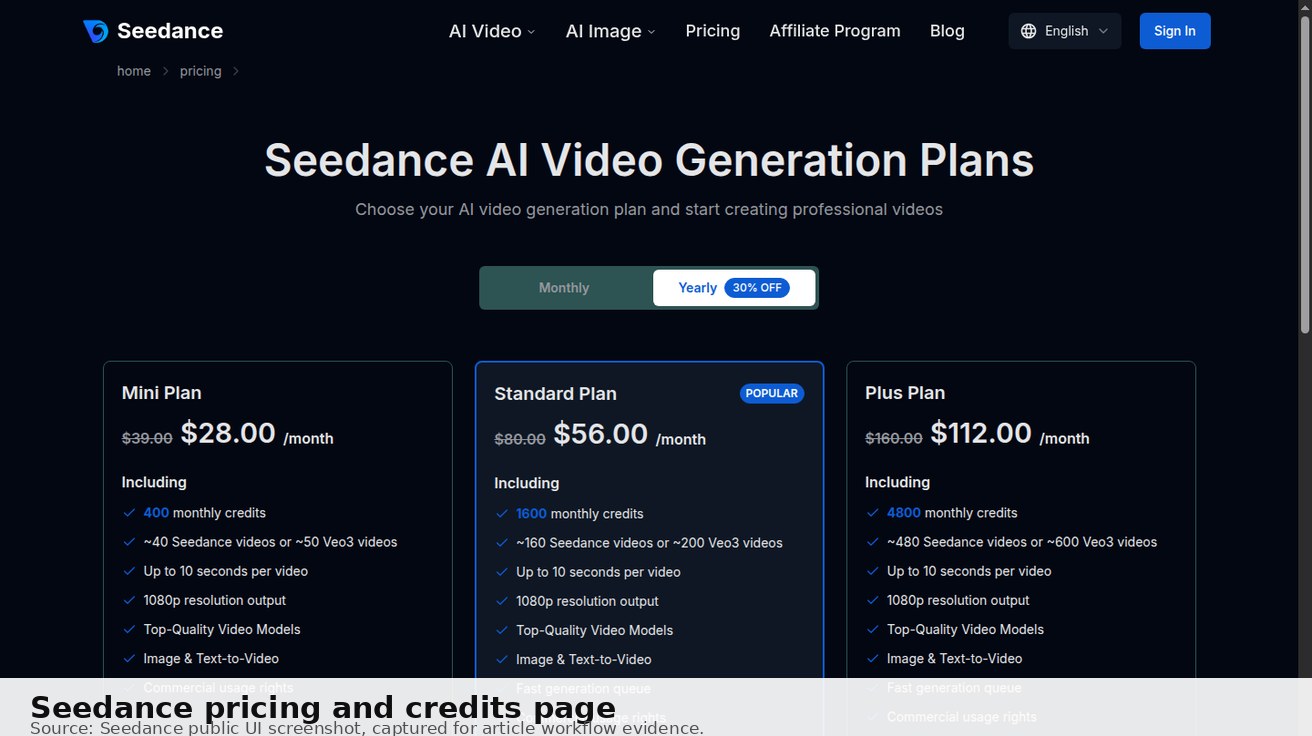
Seedance 2.0 can be evaluated from the public Seedance workflow, but free usage, login, credits, watermark behavior, export quality, and commercial-use rights may depend on the current account state and plan shown in the interface. Before relying on any output for ads, clients, ecommerce, or social campaigns, verify the exact rules on the current pricing page and generation screen.
If you want to test fast, start with one simple prompt in Text to Video or one clean image in Image to Video, generate a short clip, then check whether the result is usable.
Start generating for free - no credit card required
Free credits on signup. Plans from $20/month.
What Seedance 2.0 Can Do in 2026
Before testing the free workflow, it helps to know what Seedance 2.0 is actually good at, so your prompts play to its strengths.
- Image-to-video stability: starting from a clean source image, Seedance 2.0 keeps product shape and composition steady, which is why it is the most credit-efficient way to test.
- Camera control: simple, named camera moves (push-in, pan, handheld drift, orbit) are followed more reliably than vague "make it dynamic" prompts.
- Multi-model choice: Seedance puts several engines in one place, so if Seedance 2.0 struggles with a shot you can re-run the same prompt on another model and compare instead of giving up.
- Short-form social formats: 9:16 vertical and square outputs are well suited to TikTok, Reels, and Shorts test creatives.
Knowing these strengths up front means your free credits go toward shots the model can realistically deliver, not toward fighting its weak spots.
What to Check Before Using Seedance 2.0 Free
| Check | What to verify | Why it matters |
|---|---|---|
| Login | Can you generate, save, or export before signing in? | Some tools allow preview but require login later |
| Credits | How many generations are available? | AI video can consume credits quickly |
| Model cost | Which model and duration are selected? | Seedance 2.0, fast modes, and other models may cost differently |
| Watermark | Is watermark removal available on your plan? | Watermarks may not fit paid campaigns |
| Export | What resolution and format are available? | Social and landing page videos need usable quality |
| Commercial use | Are outputs allowed for business content? | Free and paid rights can differ |
Do not assume “free Seedance 2.0” means unlimited high-resolution exports. Treat it as a controlled test.
Best Free Seedance 2.0 Workflow
Step 1: Choose the right starting point
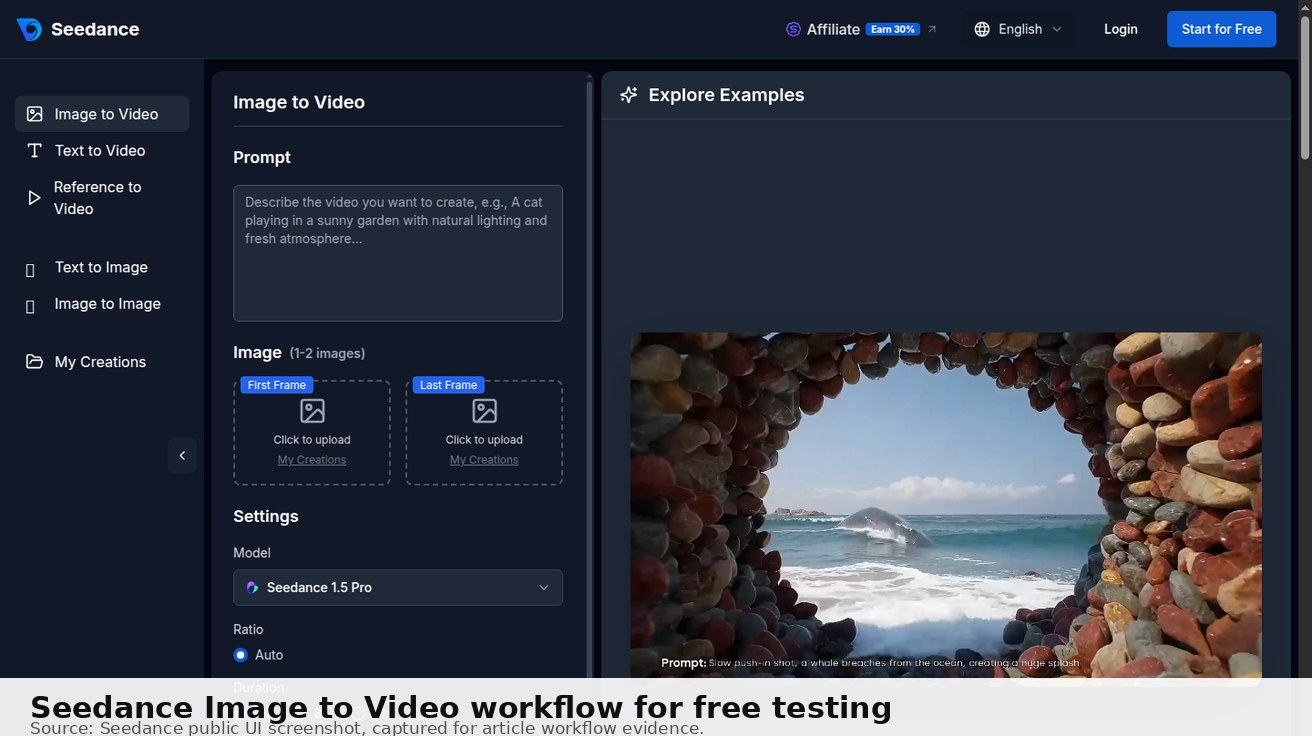
Use Text to Video when you only have an idea. Use Image to Video when you already have a product photo, app screenshot, character image, or brand asset. Use Reference to Video when subject or character consistency matters.
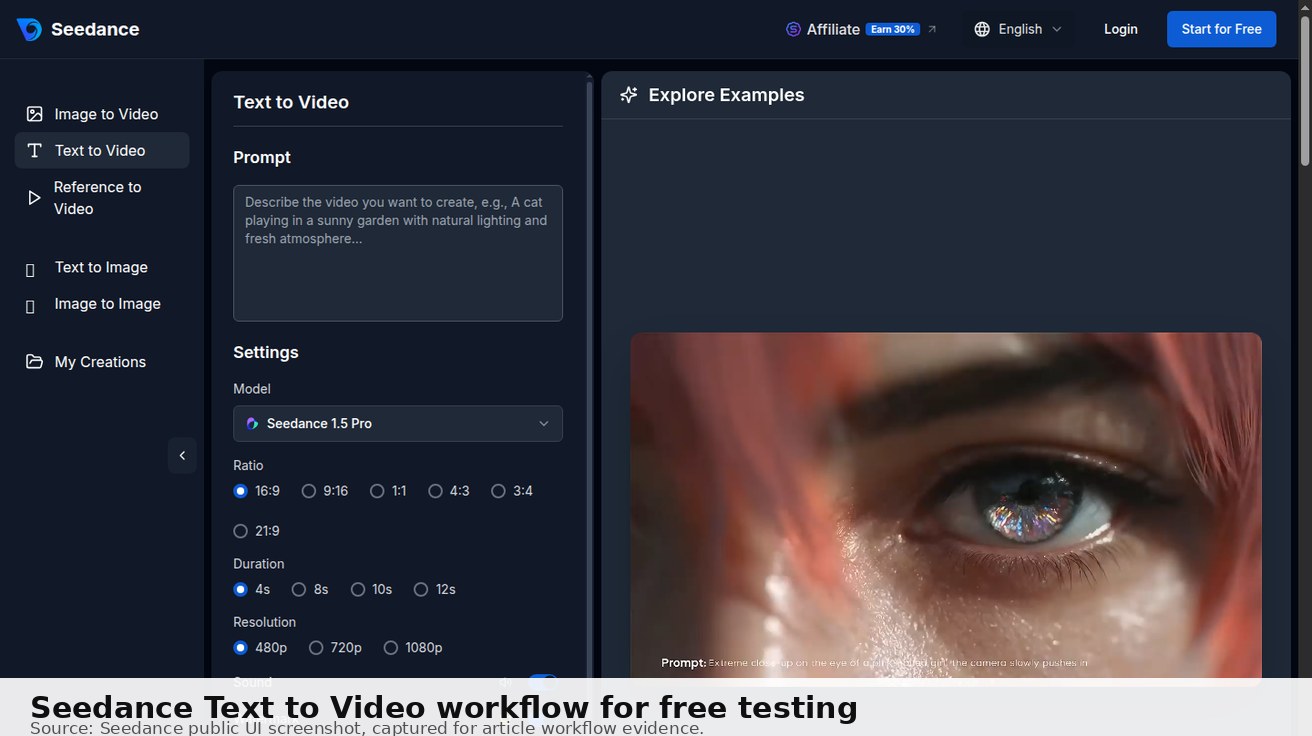
For most free tests, image-to-video is the most efficient because the source image gives the model a stable visual reference.
Step 2: Start with a short, controlled prompt
Do not waste credits on a vague prompt like “make a cool video.” Use one focused test:
Create a 6-second vertical product demo video from this image. Keep the product shape accurate, add a slow camera push-in, clean studio lighting, realistic motion, no extra text, no distorted logo, export-ready for TikTok or Reels.
This prompt tests the things that matter: product accuracy, motion quality, text/logo stability, and social format.
Step 3: Check model, duration, ratio, and credits
Before clicking Generate, review the settings. A longer duration, higher resolution, or different model may change the credit cost. If you are only testing Seedance 2.0 free, keep the first run simple: short duration, one subject, one camera move, and one output format.
Step 4: Review the output like a marketer, not a demo viewer
Ask:
- Does the subject stay consistent?
- Are logo/text details readable or distorted?
- Is the motion smooth from start to finish?
- Is the aspect ratio correct for the target platform?
- Can you export the result in a usable quality?
- Are watermark and commercial-use rules acceptable?
If the answer is no, simplify the prompt before upgrading or generating more variants.
What Counts as a Good Free Test Result
It is easy to be impressed by the first clip that moves at all. To get real value from the free stage, judge results against the bar your actual project needs, not against "wow, it generated something."
A free test is a pass when:
- the subject stays recognizable and consistent from the first frame to the last;
- motion is smooth, with no melting faces, warping logos, or extra limbs;
- any text or branding in the shot stays readable rather than turning into garbled shapes;
- the aspect ratio and length match the platform you are targeting;
- the export quality is high enough to drop into your edit without looking soft.
A free test is a fail — and a signal to simplify the prompt rather than upgrade — when the subject morphs, the camera move ignores your instruction, or the output only looks acceptable at thumbnail size. In those cases, the answer is rarely "buy more credits." It is usually a tighter prompt, a cleaner source image, or a different model.
Setting this bar before you generate keeps the free stage honest: you are testing whether Seedance 2.0 can hit your real production standard, not collecting clips that feel impressive in isolation but never make it into a finished video.
Seedance 2.0 Free Trial vs Paid Workflow
A free trial or free testing stage is useful for validation. A paid workflow is usually better when you need repeatability, higher output volume, cleaner exports, or business usage.
| Use case | Free testing is enough when | Paid workflow may be needed when |
|---|---|---|
| Prompt testing | You only need to see if the idea works | You need many prompt variations |
| Product demos | One or two preview clips are enough | You need export-ready campaign assets |
| Social ads | You are testing creative direction | You need watermark-free, repeatable output |
| Client work | You are validating feasibility | You need rights, history, and quality control |
| Team workflow | One creator is experimenting | Multiple people need credits and repeatability |
Best Use Cases for Free Seedance 2.0 Testing
Product photo animation
Upload a clean product image and use a subtle motion prompt. This is a good first test because product shape and logo stability are easy to judge.
App preview clips
Use a UI screenshot and ask for a smooth zoom or cursor movement. Keep the prompt strict: no fake buttons, no distorted interface text, and no extra panels.
TikTok or Reels ad concepts
Generate short 9:16 variants to test hooks, motion, and framing. Leave safe space for captions so the video can be edited later.
Character or mascot consistency
If a character must stay consistent across clips, do not rely only on text prompts. Start with reference images and test the Reference to Video workflow.
Prompt Examples for Seedance 2.0 Free Tests
9:16 vertical social ad, a skincare bottle on a clean bathroom counter, slow camera push-in, soft morning light, premium lifestyle style, keep label sharp, no extra text, no logo distortion.
Create a short app preview from this dashboard screenshot. Smooth zoom into the main chart, clean SaaS marketing style, readable layout, no fake buttons, no distorted UI text.
Wide cinematic shot of a compact electric bike parked beside a city café, gentle handheld camera drift, golden hour lighting, realistic street background, no people blocking the product.
Image to video: animate this sneaker product photo with a slow 360-style turntable rotation, seamless loop, soft studio gradient background, keep the logo and stitching sharp, no warping, 1:1 square for feed ads.
Text to video: a steaming cup of specialty coffee on a wooden cafe table, gentle steam rising, warm window light, shallow depth of field, slow push-in, cozy lifestyle mood, 9:16 vertical, leave headroom for a caption.
Common Mistakes
- Expecting free access to behave like unlimited production.
- Testing too many tools with different prompts.
- Choosing long duration or high resolution before the concept is proven.
- Uploading images with tiny text or messy logos.
- Ignoring watermark, export, and commercial-use rules.
- Forgetting to compare Seedance 2.0 with other available models when quality matters.
Seedance 2.0 Free vs Other Free AI Video Generators
If you are evaluating Seedance 2.0 free, you are probably also weighing it against other no-cost options. Most free AI video tools fall into one of three buckets, and knowing which bucket a tool is in tells you what to expect from its free stage.
- Credit-limited commercial tools (Seedance, Pika, Luma, Haiper): you get a daily or monthly credit allowance, usually with watermark-free export on the better tiers. These are the most practical for finished clips because the output drops into real projects.
- Watermarked free tiers (some assembly/editor tools): generous generation limits, but a branded watermark on free exports makes them unsuitable for ads or client work.
- Open-source / local (Stable Video Diffusion): truly unlimited and watermark-free, but you need a capable GPU and technical setup.
Seedance 2.0 sits in the first bucket, and its edge is multi-model access from one interface: if a shot fails on one engine you can retry on another without leaving your workflow. For a broader, retested comparison of watermark-free options, see our guide to the best free AI video generators without a watermark. The short version: use Seedance 2.0 free to validate the exact shot you need, then decide whether its paid tier or a different free tool fits your volume and budget.
Tips to Make Your Free Seedance 2.0 Credits Last
Free credits disappear fast if you treat generation like a slot machine. A few habits keep your testing efficient:
- Prove the concept at low settings first. Run a short clip at a modest resolution before spending credits on a long, high-res export. Once the concept works, scale up only the winning shot.
- Reuse the prompt that worked. When a prompt produces a usable result, lock it and change one variable at a time (lighting, camera move, ratio) instead of rewriting the whole prompt and burning credits on a fresh start.
- Start from an image when you can. Image-to-video gives the model a stable visual reference, so you waste fewer credits correcting drift and distortion.
- Batch your tests. Decide the three or four variants you actually need before you sit down, rather than generating reactively whenever an idea pops up.
- Match the model to the shot. Realistic motion, stylized looks, and fast drafts can suit different engines — picking the right one first avoids re-running the same idea on the wrong model.
Treated this way, the free stage becomes a cheap validation layer: you learn whether Seedance 2.0 can produce your asset before any spend, and you carry the winning prompt straight into a paid run if you upgrade.
How to Decide Whether to Upgrade
Upgrade only after the free test proves the workflow can create the kind of asset you need. A good upgrade signal is not “the first clip looked cool.” A better signal is that the same prompt or source image can produce repeatable variants with stable subjects, acceptable motion, and export settings that match your real campaign.
Use this decision rule:
- stay free if you are only testing prompt direction;
- consider paid credits if two or three variants are close to usable;
- upgrade for production when watermark, resolution, speed, history, or commercial-use requirements matter;
- do not upgrade yet if the source image, prompt, or use case is still unclear.
This keeps Seedance 2.0 free useful as a validation layer instead of turning it into random credit spending.
FAQ
Is Seedance 2.0 free to use?
There is a free way to test Seedance 2.0 for AI video generation, but free usage is best treated as an evaluation stage rather than unlimited production. Credits, login requirements, watermark behavior, and export quality can depend on your current plan and account state, so confirm the details on the live pricing page and generation screen before relying on output.
Does Seedance 2.0 add a watermark on the free tier?
Watermark rules can differ between free and paid usage, and they can change. Always check the watermark and commercial-use rules shown in the interface before publishing a clip to ads, client work, or social campaigns.
How many free generations do I get?
The number of free generations depends on available credits and the model, duration, and resolution you select — higher settings consume credits faster. To stretch a free test, start with a short clip, one subject, and one camera move, then judge the result before generating variants.
What is the best free Seedance 2.0 workflow?
Start from an image with Image to Video for the most stable, credit-efficient test, use one focused prompt (subject, action, camera, look), check credits and settings before generating, then review the output for subject consistency, motion, and export quality.
Do I need an account to use Seedance 2.0 free?
Login and account requirements can vary, and some tools let you preview but require an account to save or export. Check whether you can generate and export before signing in on the current generation screen, since the ability to download a usable file — not just watch a preview — is what makes a free test worthwhile.
Can I use free Seedance 2.0 output commercially?
Commercial-use rights can differ between free and paid plans. Verify the current terms before using any output in ads, ecommerce, or client deliverables — and note that watermark-free, export-ready quality is usually what makes commercial use practical.
Conclusion
Seedance 2.0 free is useful when you treat it as a real evaluation workflow: choose the right tool path, use one focused prompt, check credits and settings, generate a short clip, then judge the output against your actual use case. For product demos and social ads, start with Image to Video. For idea testing, use Text to Video. For consistent characters, use Reference to Video. Before publishing or selling any output, verify current pricing, watermark, export, and commercial-use rules. Keep your first runs short and image-led, judge each result against the production bar your project actually needs, and only move to a paid plan once a free test proves Seedance 2.0 can deliver the exact shot you are after. Used this way, the free stage saves both credits and time before you commit.
Start generating for free - no credit card required
Create videos with free signup credits, then scale with affordable plans whenever you need more generations.
Free credits on signup. Plans from $20/month.
Related Articles
More posts in the same locale you may want to read next.
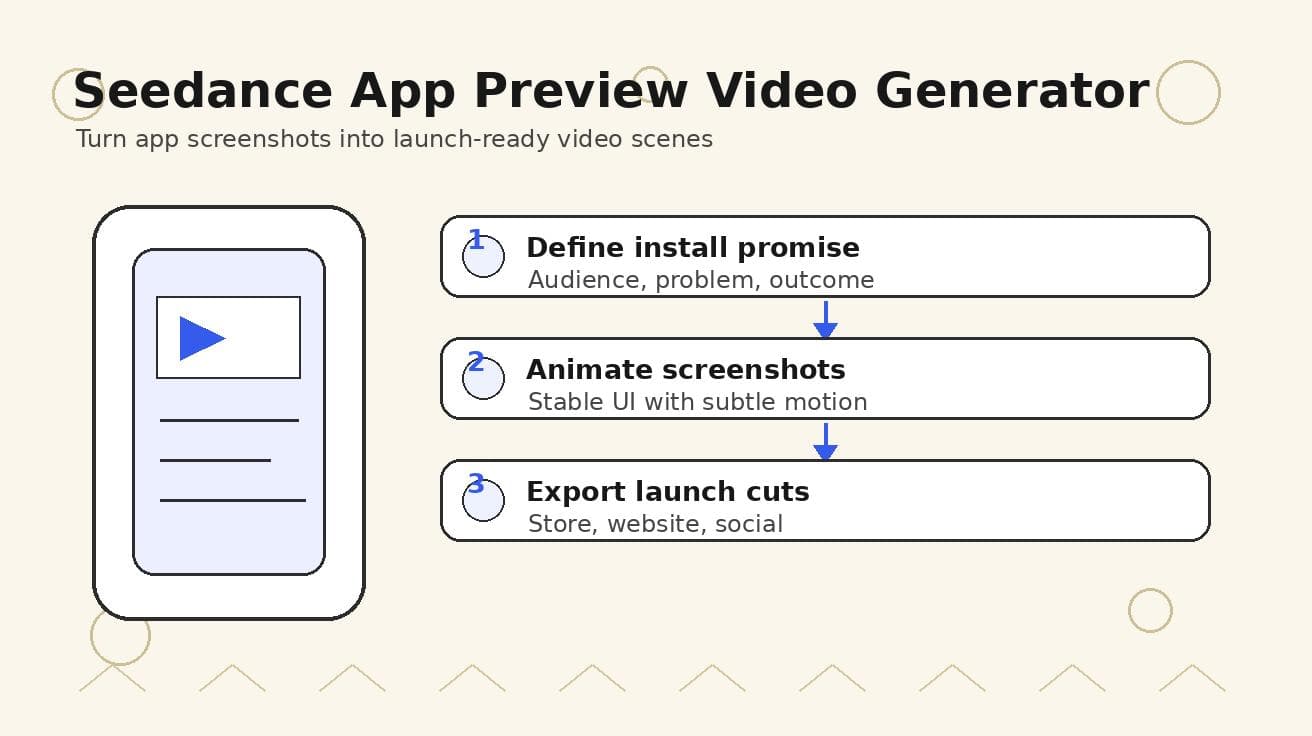
Seedance App Preview Video Generator 2026: Create App Store and Product Launch Clips
Use Seedance to turn app screenshots, feature copy, and launch goals into App Store previews, Google Play promo videos, and product launch clips.
Read article
Seedream 5.0 Product Poster Prompts: Templates, Lighting, and Background Swap Guide
Create stronger product posters with a six-part Seedream 5.0 prompt formula, five product templates, three lighting setups, text rules, and a background-swap workflow.
Read article
Seedream 5.0 Infographic Prompts: Templates, Text Tips, and 5 Copy-Ready Examples
Create clearer AI infographics with a seven-part Seedream 5.0 prompt formula, five reusable templates, practical text tips, and five copy-ready examples.
Read article