
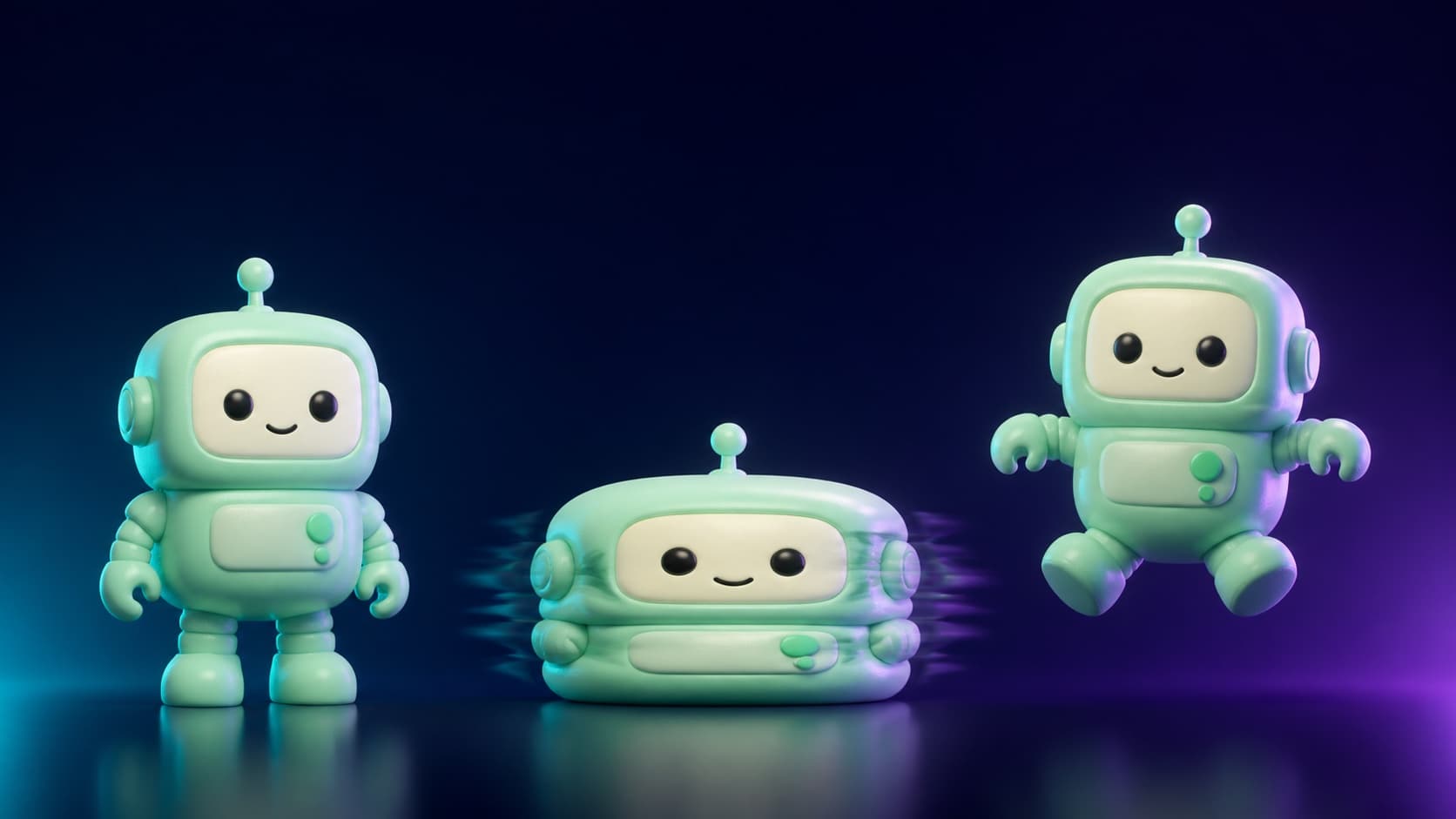
AI Overview
What is the AI squish effect?
The AI squish effect animates a still subject so it compresses, deforms, and rebounds like jelly, mochi, or memory foam. It applies squash-and-stretch physics to one image without manual keyframing.
What tools can create the AI squish effect?
Pika offers a dedicated one-click effect, while prompt-driven image-to-video tools such as Seedance, Veo, and Kling provide more control over direction, speed, material feel, and recovery.
What prompt makes a good AI squish effect video?
Describe the subject, compression direction, material, motion arc, and framing. Add “stable subject identity” and “return completely to the original shape” to prevent destructive warping.
Ready to try it yourself?
Free credits on signup. Plans from $20/month.
What format should AI squish videos use for TikTok and Reels?
Use 9:16 vertical framing, keep the clip around 3–6 seconds, and let the subject fill at least 60% of the frame. A clean background makes the deformation easier to read.
What the AI Squish Effect Actually Is
Squash and stretch is one of the classic principles of animation: a subject compresses under force, exaggerates its shape, and then returns to its original form. AI video models make that principle accessible from one still image.
A convincing squish has three visible stages:
- Compression: an invisible force pushes from above, the sides, or all directions.
- Exaggerated deformation: the subject behaves like rubber, jelly, mochi, or memory foam.
- Rebound: it springs back, may overshoot slightly, and settles into the original pose.
The appeal combines an unexpected physical reaction with oddly satisfying timing and sound. A normal image-to-video prompt merely adds movement; a squish prompt applies a clear force and shows how the subject responds. The identity should remain recognizable throughout.
Best Tools for the AI Squish Effect in 2026
| Tool | Method | Free access | Control level |
|---|---|---|---|
| Pika | Dedicated “Squish It” effect | Limited and plan-dependent | Low: one-click preset |
| Seedance | Image-to-video plus a motion prompt | Trial access varies | High: direction, material, timing |
| Veo 3 | Prompt-driven image-to-video | Plan-dependent | High: motion and cinematic detail |
| Kling 3 | Prompt-driven image-to-video | Plan-dependent | High: deformation and camera control |
Choose a dedicated preset when speed matters more than control. Choose a prompt-driven workflow when you need compression from a specific direction, a slower rebound, a material such as mochi, or stronger identity protection. Read the Pika AI video generator review for the preset workflow and Seedance vs Pika comparison for a broader feature breakdown.
Model behavior changes over time, so test the same source image and prompt across two options. The best AI video generation models guide helps narrow the shortlist without relying on a single effect preset.
The Squish Effect Prompt Formula
Build the prompt from five parts:
[Subject description] + [Compression direction and force] +
[Material feel] + [Motion arc] + [Framing and scene settings]
Use this full template in Image to Video:
Animate the subject in the image. A gentle but exaggerated force compresses it
from both sides simultaneously. The subject deforms like soft mochi—rubbery and
elastic, never damaged. Hold maximum compression for 0.4 seconds, then spring
back completely to the exact original shape with one slight overshoot. Stable
subject identity, preserve all facial and surface details. Static camera,
centered subject, clean background, 4-second seamless motion.
“Make it squish” leaves the direction, material, timing, and recovery undefined. The full prompt turns those decisions into a repeatable motion arc.
8 Copy-Ready Squish Prompts by Subject Type
Person or Selfie
The person is gently compressed from above by a large invisible force. Their
body squishes to half height and widens proportionally like soft rubber, then
springs back completely to the original pose. Stable face, preserve facial
features and clothing details, non-destructive deformation. Static camera,
centered 9:16 portrait, 4 seconds.
Pet — Cat or Dog
The animal is softly compressed from both sides. The ears flatten outward and
the fur ripples with the pressure while the eyes and face stay expressive and
unchanged. Quick squish, slow elastic rebound to the exact original body shape.
Safe playful motion, no injury, static camera, 4 seconds.
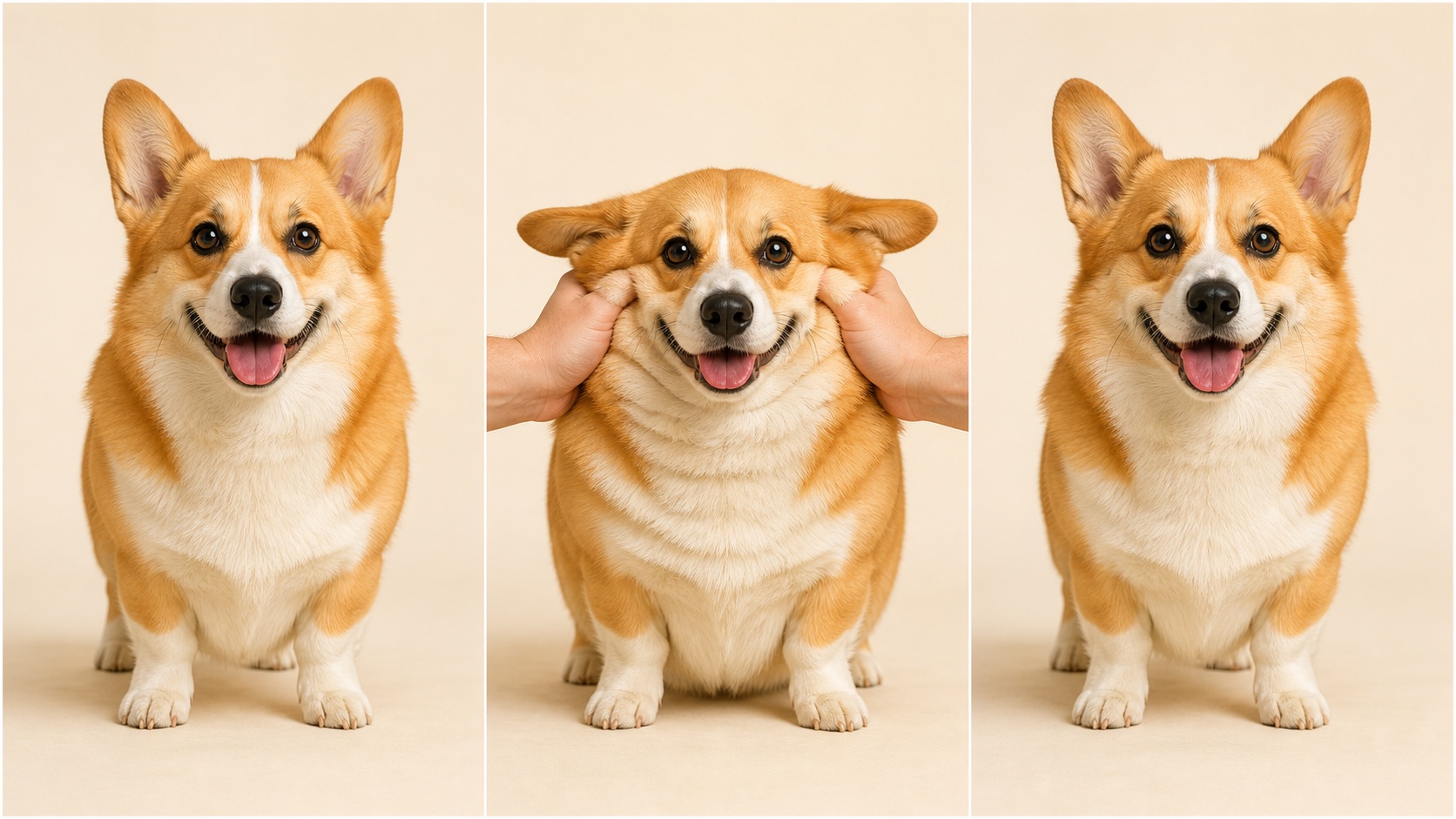
A clear identity-preserving sequence: normal pose, readable compression, and full recovery.
Product — Bottle, Box, or Ball
The product is squeezed from both sides like memory foam. Its rigid surface
becomes soft and rubbery while the cap, blank label area, color, and highlights
remain consistent. Hold compression for 0.5 seconds, then restore the exact
original silhouette with one clean bounce. Locked camera, neutral studio.
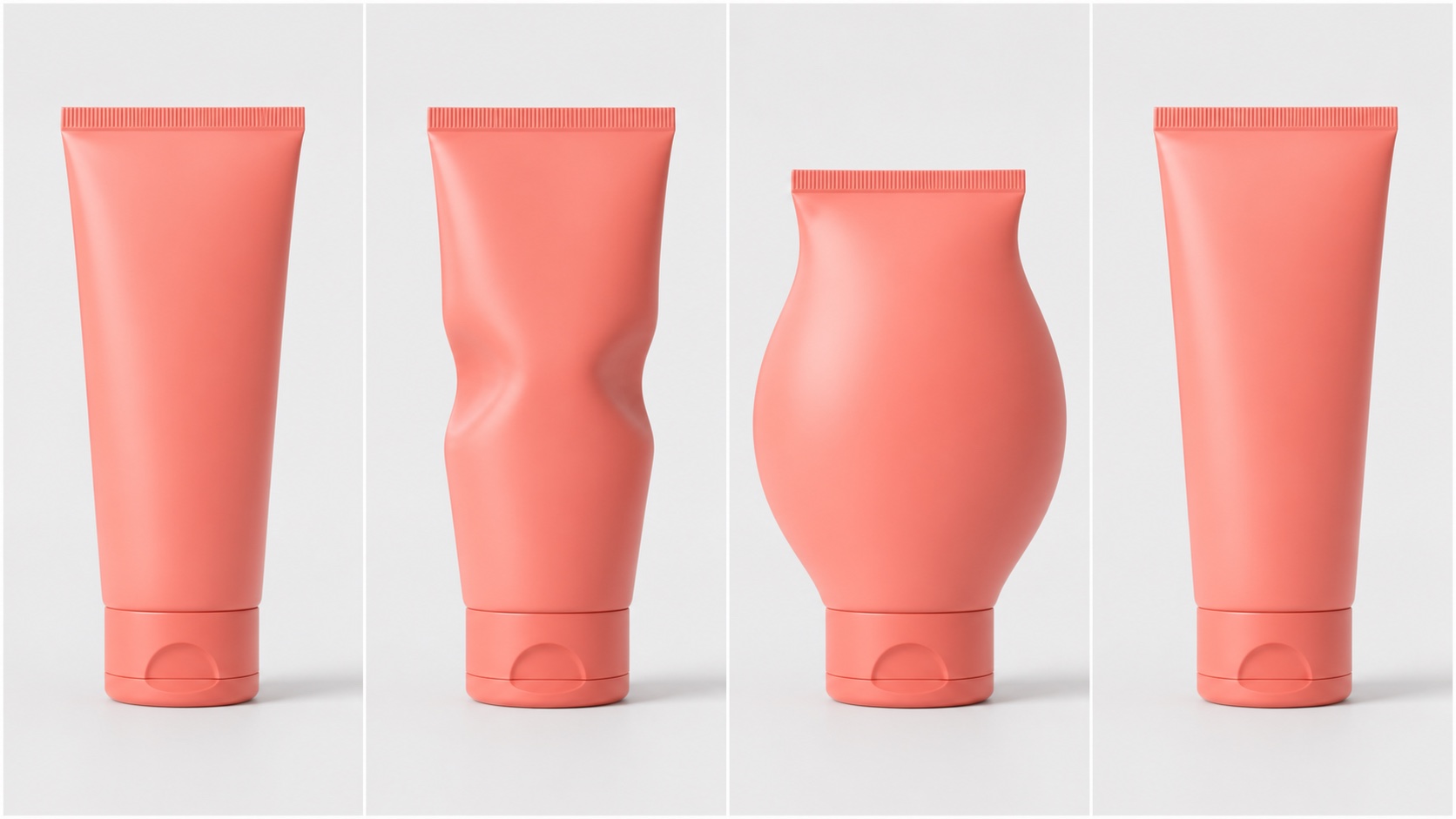
Four product stages make the motion arc explicit while protecting color, cap, and camera angle.
Logo or Text
The logo or title compresses vertically under smooth invisible pressure. Every
letter shortens and widens proportionally, then bounces back with a slight
overshoot and settles into the exact original spacing. Preserve readability,
colors, and alignment. Clean solid background, locked camera, 3-second loop.
Food — Cake, Burger, or Fruit
The food is pressed gently from above like a giant soft thumb. Its layers bulge
outward and the toppings wobble without breaking or spilling. It looks soft and
satisfying, never destroyed. Slow press, brief hold, complete spring-back to the
original arrangement. Close framing, warm light, 4 seconds.
Building or Large Object
The entire building or vehicle compresses vertically as if the sky is pressing
down. Use exaggerated cartoon physics: squash to 30% height, widen evenly, then
spring back slowly to the exact original structure. No debris or damage. Wide
static shot, stable background and horizon, playful 5-second motion.
Cartoon Character or Illustration
The cartoon character squishes like a rubber ball struck gently from above.
Use classic squash-and-stretch exaggeration: body flattens, eyes widen briefly,
then the character rebounds to the exact original design and pose. Preserve line
art and colors. Bouncy 3-second loop, simple background, locked camera.
ASMR or Oddly Satisfying Variation
The object compresses very slowly from all sides as if vacuum sealed. The
surface forms smooth soft ripples toward the center, reaches maximum deformation,
then releases in one gradual memory-foam rebound. Preserve identity and details.
Macro framing, minimal background, no camera movement, 6 seconds.
Making It Go Viral — Format and Posting Tips
- Format: use 9:16 for TikTok and Reels; keep most clips between 3 and 6 seconds.
- Framing: let the subject fill at least 60% of the frame so compression is obvious.
- Background: choose a solid color or shallow blur; busy scenery hides the effect.
- Sound: test a soft squish, bubble pop, or springy “boing” timed to maximum compression and rebound.
- Loop: end on the exact first-frame pose so replay feels seamless.
- Subject choice: pets, expressive faces, familiar products, soft food, and bold illustrations give viewers an immediate before-and-after reference.
Publish two timing variants from the same source: one quick impact and one slow ASMR compression. Compare completion and replay behavior instead of assuming one speed works for every audience.
Common Problems and Fixes
| Problem | Prompt fix |
|---|---|
| Face becomes unrecognizable | Add “stable face, preserve facial features, non-destructive.” |
| Subject never returns to normal | Add “spring back completely to the exact original shape.” |
| Motion looks like a wobble | Name the force direction and maximum compression percentage. |
| Background bends with the subject | Add “locked background, deform the subject only.” |
| Result looks painful or destructive | Add “soft elastic physics, no injury, no cracks, no damage.” |
| Clip is hard to loop | Require the final frame to match the starting pose and camera exactly. |
Fix one variable per revision. If the subject identity drifts, shorten the clip, simplify the camera, and move preservation instructions before stylistic details. The Seedance video prompt guide explains how to separate subject motion, camera direction, timing, and constraints.
Conclusion
The AI squish effect works when three things stay clear: squash-and-stretch physics, a specific material description, and stable subject identity. One-click effects are fastest, while prompt-driven generation gives you control over direction, force, timing, texture, and rebound. Save the five-part formula plus three dependable material terms—mochi-soft, memory-foam, and rubbery elastic—then start with one centered image. Create your squish video with Seedance, generate a 3–6 second version, and refine only the motion variable that failed.
Ready to try it yourself?
Put the steps from this guide into practice with Seedance and turn prompts or images into polished videos in minutes.
Free credits on signup. Plans from $20/month.
Related Articles
More posts in the same locale you may want to read next.
Seedance App Preview Video Generator 2026: Create App Store and Product Launch Clips
Use Seedance to turn app screenshots, feature copy, and launch goals into App Store previews, Google Play promo videos, and product launch clips.
Read article
Seedream 5.0 Product Poster Prompts: Templates, Lighting, and Background Swap Guide
Create stronger product posters with a six-part Seedream 5.0 prompt formula, five product templates, three lighting setups, text rules, and a background-swap workflow.
Read article
Seedream 5.0 Infographic Prompts: Templates, Text Tips, and 5 Copy-Ready Examples
Create clearer AI infographics with a seven-part Seedream 5.0 prompt formula, five reusable templates, practical text tips, and five copy-ready examples.
Read article